1-2-PyTorch
PyTorch is an open-source deep learning framework developed by Meta. It is widely used in research and production for building and deploying deep learning models, especially on GPUs and embedded platforms such as NVIDIA Jetson.
This document explains how to install and verify PyTorch on Jetson systems.
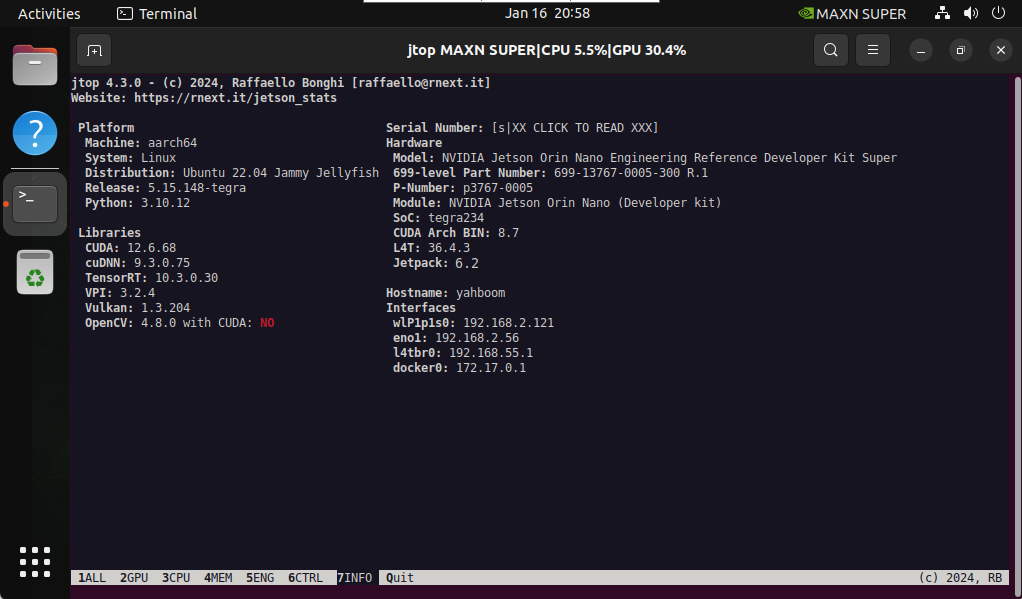
1. System Information
Before installing PyTorch, confirm your system environment.
2. Install Dependencies
Install CUDA-related dependencies required by PyTorch.
wget https://developer.download.nvidia.com/compute/cuda/repos/ubuntu2204/arm64/cuda-keyring_1.1-1_all.deb
sudo dpkg -i cuda-keyring_1.1-1_all.deb
sudo apt update
sudo apt install -y libcusparselt0 libcusparselt-dev
Remove conflicting packages if present:
sudo apt remove python3-sympy
3. Install PyTorch
You can install PyTorch using offline or online methods.
3.1 Offline Installation
Download the appropriate PyTorch wheel file for your JetPack version:
Download URL (external):
https://developer.download.nvidia.com/compute/redist/jp/v61/pytorch/
Navigate to the download directory:
cd ~/Downloads
Install PyTorch:
sudo pip3 install torch-2.5.0a0+872d972e41.nv24.08.17622132-cp310-cp310-linux_aarch64.whl
Ensure the PyTorch version matches your JetPack and Python version.
3.2 Online Installation
Set the PyTorch package URL:
export TORCH_INSTALL=https://developer.download.nvidia.cn/compute/redist/jp/v61/pytorch/torch-2.5.0a0+872d972e41.nv24.08.17622132-cp310-cp310-linux_aarch64.whl
Install using pip:
sudo python3 -m pip install --no-cache $TORCH_INSTALL
4. Verify the Installation
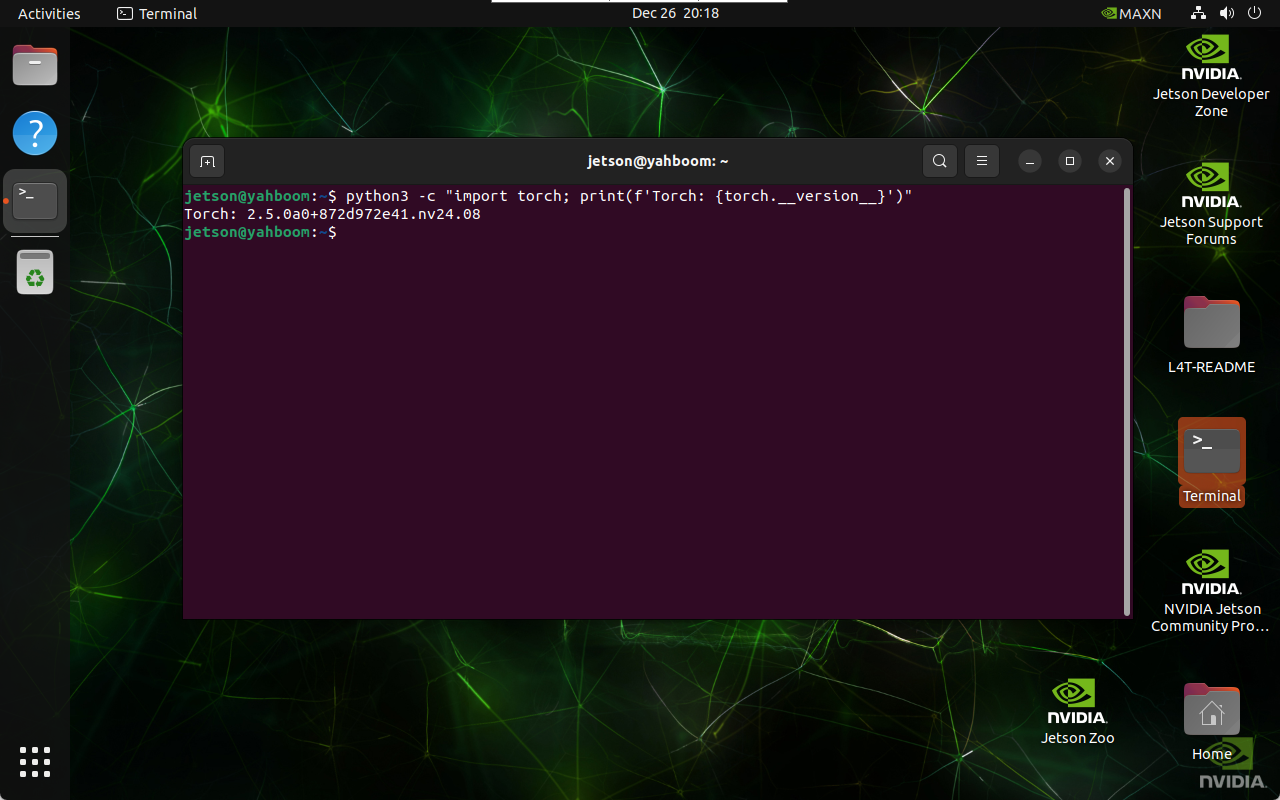
Verify that PyTorch is installed correctly:
python3 -c "import torch; print(f'Torch: {torch.__version__}')"
If successful, the PyTorch version will be printed:
References
-
NVIDIA PyTorch for Jetson Documentation (external):
https://docs.nvidia.com/deeplearning/frameworks/install-pytorch-jetson-platform/index.html -
cuSPARSELt Downloads (external):
https://developer.nvidia.com/cusparselt-downloads
Maintained by HemiHex for Jetson-based AI and advanced vision workflows.